The FIFINE AmpliGame AM8 review centers on a desktop dynamic microphone that offers plug-and-play USB use alongside an XLR connection for a more flexible recording setup.
AmpliGame AM8 Review Summary
The quick verdict
11,000+ ratings
Read Amazon ReviewsFIFINE AmpliGame AM8
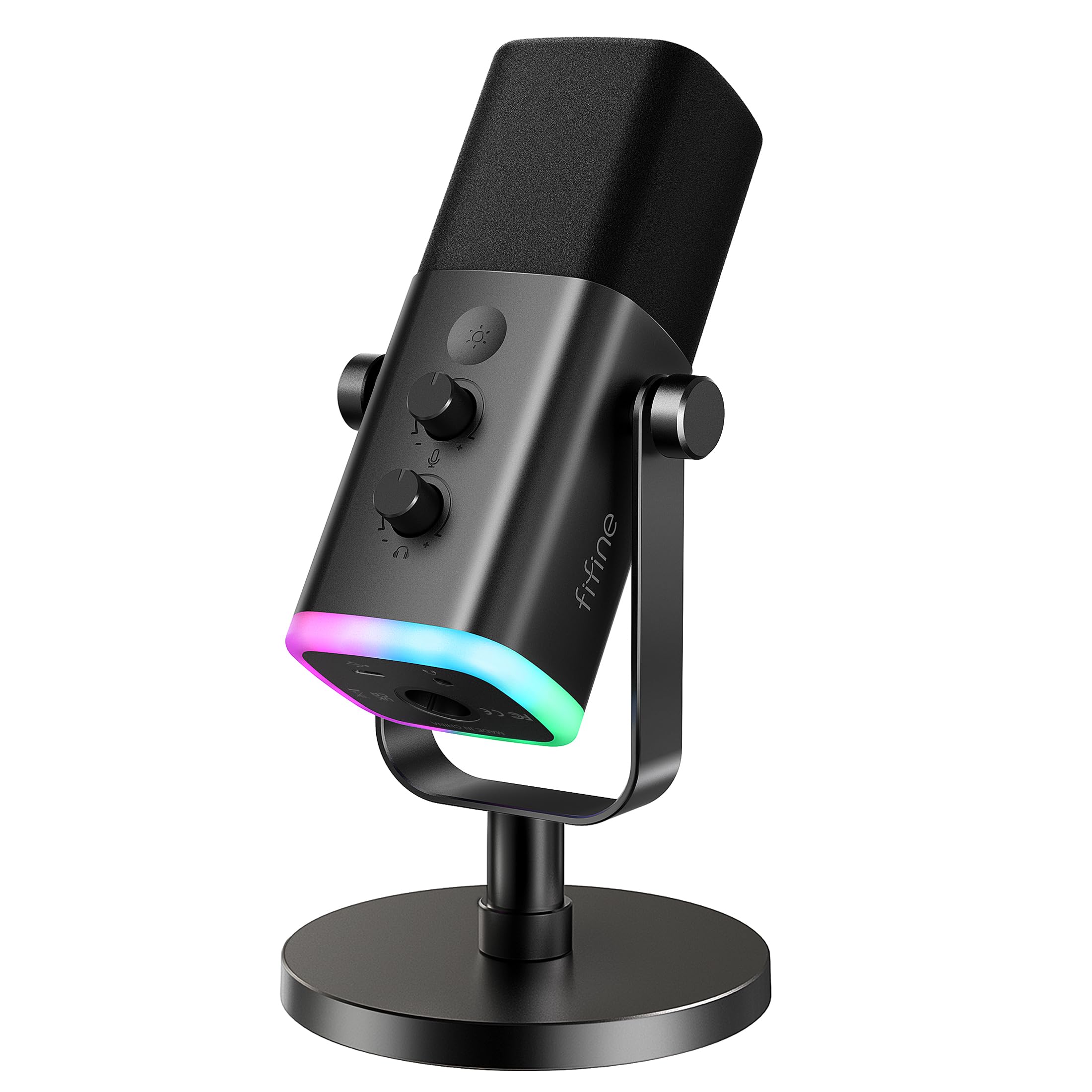
A flexible desktop mic for creators who want USB controls and lighting, with an XLR path for a separate audio interface or mixer.
- Dynamic microphone with USB and XLR connection options.
- USB mode includes tap-to-mute, a mute reminder, headphone jack, monitoring volume control and gain knob.
- USB-only RGB lighting has three modes and more than ten color choices, and remembers the last selection.
- Cardioid pickup and a suggested recording distance of 2 to 6 in. inform mic placement.

Pros
- USB and XLR connections accommodate both a direct computer setup and an interface-based setup.
- Tap-to-mute and a visible mute reminder make it easier to manage privacy during a live session.
Consider before buying
- USB-only controls and lighting are unavailable when using XLR, so that connection changes the way you manage the mic.
- Plan to provide an XLR cable if you intend to use the interface or mixer connection.
Read the full review summary
The AmpliGame AM8 combines USB convenience with an XLR option, plus a tap-to-mute control, headphone jack, gain knob and configurable RGB lighting when connected by USB.
That makes it a practical fit for streaming, gaming and beginner podcast setups where visible controls and a straightforward desktop arrangement matter.
Its main tradeoff is that the USB controls and lighting do not carry over to XLR use, and an XLR cable must be supplied separately.
It suits creators who may start with USB and later connect to an interface, provided they are comfortable treating the two connection modes as different workflows.
The buying factors
AmpliGame AM8 Scorecard
Editorial scores reflect listed features and buyer fit; they are not laboratory measurements or customer ratings.
Connection flexibility
USB supports direct computer use, while XLR connects through a separate interface or mixer, giving the mic two setup paths.
USB controls
Tap-to-mute, mute reminder, headphone monitoring volume and gain control make common adjustments accessible on the USB setup.
XLR workflow
XLR offers an interface-based upgrade path, though it needs a separate cable and disables the USB lighting and function keys.
Desktop mounting
The included desktop stand supports a ready-to-place setup, and built-in thread sizes accommodate many mic stands without an external adapter.
Lighting customization
USB mode offers three lighting modes and more than ten color choices, with memory for the previous selection.
Recording guidance
A cardioid pattern and a suggested close recording position give new users a clear starting point for placement and room-noise management.
Key Features and Specifications of AmpliGame AM8
- Dynamic microphone with USB and XLR connection options.
- USB mode includes tap-to-mute, a mute reminder, headphone jack, monitoring volume control and gain knob.
- USB-only RGB lighting has three modes and more than ten color choices, and remembers the last selection.
- Cardioid pickup and a suggested recording distance of 2 to 6 in. inform mic placement.
- The stated frequency response is 50Hz-16KHz.
- Built-in 3/8’’ and 5/8’’ metal threads fit many mic stands without an external adapter.
Pros and Cons of AmpliGame AM8
Pros
- USB and XLR connections accommodate both a direct computer setup and an interface-based setup.
- Tap-to-mute and a visible mute reminder make it easier to manage privacy during a live session.
- A headphone jack and onboard gain and monitoring controls allow adjustments at the mic in USB mode.
- RGB settings can be adjusted and remembered in USB mode.
Consider before buying
- USB-only controls and lighting are unavailable when using XLR, so that connection changes the way you manage the mic.
- Plan to provide an XLR cable if you intend to use the interface or mixer connection.
- For frequent recording away from the mic, consider whether the suggested close placement works for your desk and speaking style.
Who Should Buy AmpliGame AM8?
Good fit
Choose the AmpliGame AM8 if you want a desktop mic that can connect directly over USB and gives you mute, headphone monitoring and gain controls at the device.
Its stand and RGB options also suit a gaming or streaming desk where setup and visible customization are priorities.
It also fits creators who expect to move to an XLR interface later. Account for the separate XLR cable, and expect to lose the RGB and function-key controls while using that connection.
Who should skip it
Skip it if you need the onboard mute, lighting and function controls to remain available through an XLR interface; those features are USB-only.
Look elsewhere if you prefer to record from farther away: the suggested recording range is close to the microphone, at 2 to 6 in.
AmpliGame AM8 Review Analysis
USB Convenience and Controls
The AM8's USB connection is its most self-contained mode: plug it in, then use the mic's tap-to-mute, headphone connection, monitoring volume and gain knob.
For a creator who wants routine adjustments within reach during a stream or recording, those controls can reduce reliance on separate software menus.
What Changes with XLR
XLR offers a route to an audio interface or mixer, which can make the microphone part of a more expandable recording setup.
That transition has practical limits: the cable is separate, and the USB-specific buttons and RGB lighting are inactive in XLR mode.
Placement and Mounting
The cardioid dynamic design is intended for close voice placement, with a suggested range of 2 to 6 in.
The desktop stand gives it a basic home on a desk, while the built-in thread sizes allow attachment to many mic stands without an adapter.
Lighting as a Desk Feature
RGB is a visual customization feature for USB use, with several modes and color choices plus memory for the previous setting.
It may help coordinate a streaming desk, but it does not change the microphone's XLR behavior or provide a reason to choose it if lighting is irrelevant to your setup.
Alternatives to AmpliGame AM8
Multipurpose Dynamic Microphones alternative

5,000+ ratings
Read Amazon ReviewsSamson Q2U Dynamic USB-C/XLR Microphone
Choose the Q2U if you prefer a handheld form and want the USB-C and XLR cables included; choose the AM8 if USB-only RGB and tap-to-mute are more useful at your desk.
- The Q2U is a handheld dynamic microphone with USB-C and XLR connections, and its included kit has both cables plus a desktop tripod, extension, clip and windscreen.
- The AM8 combines USB/XLR connectivity with USB-only RGB lighting and tap-to-mute, but requires a separate XLR cable for interface use.
Multipurpose Dynamic Microphones alternative
600+ ratings
Read Amazon ReviewsSAMSON Q9U XLR/USB Dynamic Broadcast Microphone
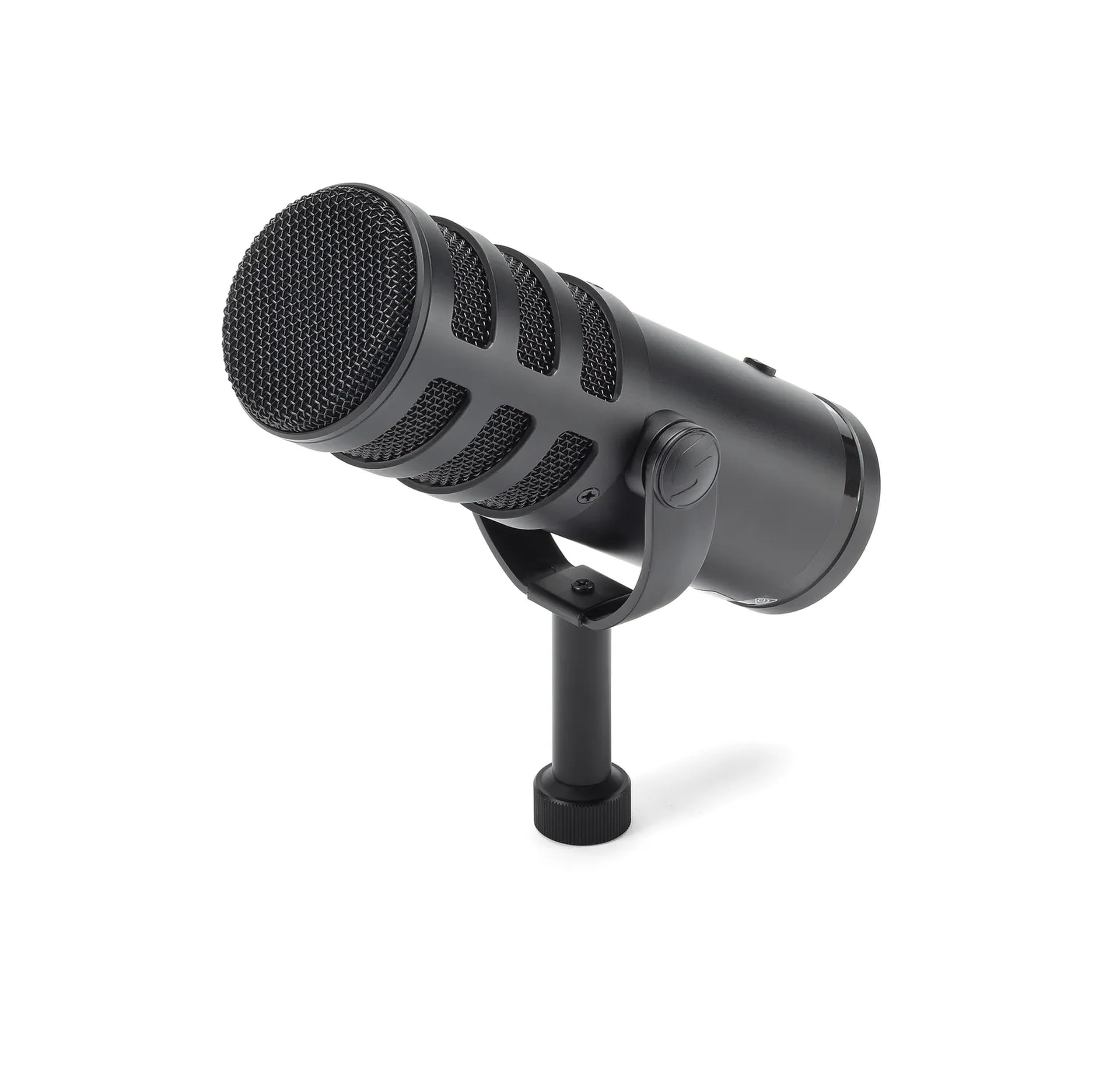
Choose the Q9U if you want zero-latency monitoring and a mute switch that works across USB and XLR; choose the AM8 if its USB gain controls, tap-to-mute and RGB options better suit your desktop streaming setup.
- The Q9U provides zero-latency headphone monitoring, a 24bit/96kHz USB converter and a mute switch that silences both USB and XLR outputs.
- The AM8 provides headphone monitoring, gain adjustment and mute controls in USB mode, while its USB-specific function keys are inactive through XLR.
Is AmpliGame AM8 Worth It?
The FIFINE AmpliGame AM8 is worth considering for a creator who wants a desktop USB mic with convenient mute and monitoring controls, customizable lighting and the option to move to XLR.
Its strongest fit is a gaming, streaming or beginner recording desk where those USB features are useful.
Before choosing it, be comfortable with close mic placement and remember that XLR use needs its own cable and leaves the USB controls and lighting inactive.
If those constraints fit your workflow, the AM8 offers a useful combination of direct USB operation and an interface-ready connection.
Your review at a glance
11,000+ ratings
Read Amazon ReviewsFIFINE AmpliGame AM8
A flexible desktop mic for creators who want USB controls and lighting, with an XLR path for a separate audio interface or mixer.
- Dynamic microphone with USB and XLR connection options.
- USB mode includes tap-to-mute, a mute reminder, headphone jack, monitoring volume control and gain knob.
- USB-only RGB lighting has three modes and more than ten color choices, and remembers the last selection.
- Cardioid pickup and a suggested recording distance of 2 to 6 in. inform mic placement.